Most small business owners optimize their websites the way someone paints a fence in the dark: adjusting what they can see, ignoring the half that actually matters. Title tags. Meta descriptions. Maybe a blog post or two with a target keyword stuffed in. And then they wonder why they're still buried on page three of Google while their competitor — with a worse-looking site — sits in the local pack with five-star ratings glowing next to their name.
Here's the uncomfortable truth: search engines don't read your website the way humans do. They scan it for structured signals. And if you're not feeding those signals deliberately, you're forcing Google to guess what your business is, what you offer, and who you serve. Schema markup is how you stop the guessing.
If you've never heard of it, you're not alone. If you've heard of it but ignored it because it sounded technical — you're definitely not alone. But this is one of those rare SEO moves that's both massively underused and genuinely high-impact. Let me be clear: you can implement enough schema in a single weekend to outrank 80% of your local competitors on the structured-data dimension alone. Most of them haven't bothered. That's your opening.
What Schema Markup Actually Does (And Why Google Cares)
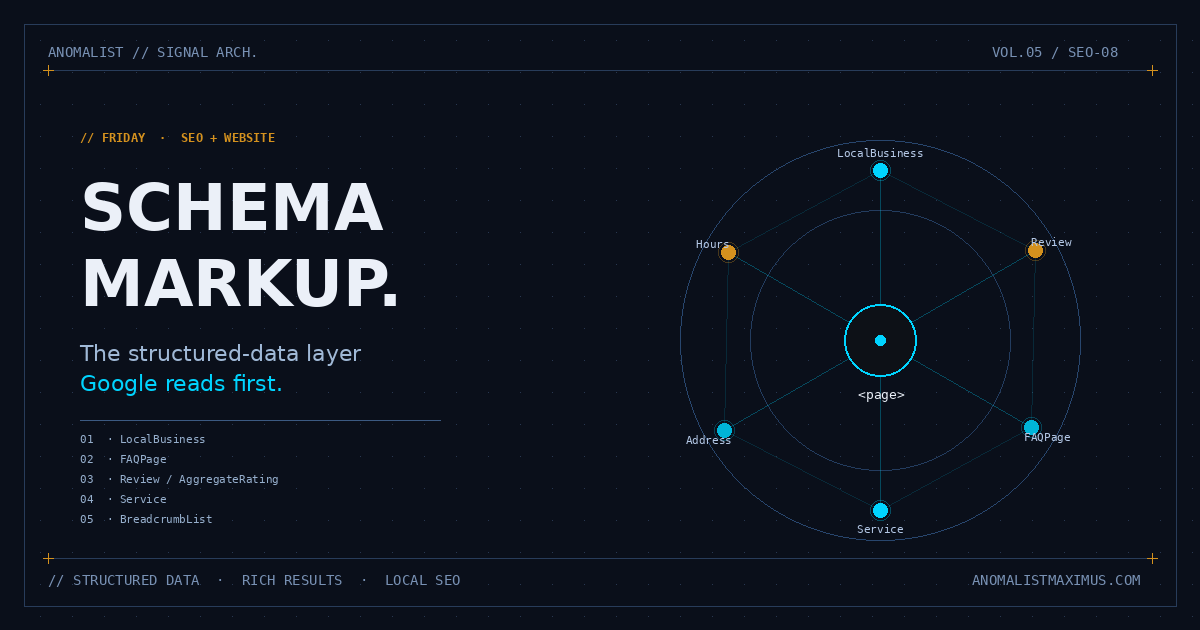
Schema markup is a bit of code you add to your website that tells search engines what your content means, not just what it says. It uses a shared vocabulary maintained at schema.org — a project jointly backed by Google, Microsoft, Yahoo, and Yandex — that defines structured types like LocalBusiness, Service, Review, FAQPage, and hundreds of others.
Here's the practical impact. When Google's crawler hits your homepage, it sees a wall of HTML. With no schema, it has to infer that "1234 Main St, Suite 200" is your address, that "(555) 123-4567" is your phone number, and that "Mon-Fri 9-5" represents your business hours. It usually gets it right. Sometimes it doesn't. With schema markup, you hand Google a labeled package: "address: 1234 Main St", "telephone: (555) 123-4567", "openingHours: Mo-Fr 09:00-17:00". No guessing. No ambiguity.
The reward for being explicit? Rich results — those enhanced search listings with star ratings, FAQ accordions, price ranges, event dates, and recipe times. Schema doesn't directly boost your ranking position. But it dramatically boosts your click-through rate, and CTR is a ranking signal. Pages with rich results consistently see 30-40% higher click rates than plain blue-link competitors. That compounds. Higher CTR means more traffic, more engagement, more conversions, and — yes — better rankings over time.
Schema markup doesn't make Google rank you higher directly. It makes your search result the most clickable one on the page. That's the same thing, eventually.
Why Most Small Businesses Skip It (And Why That's Your Opportunity)
Industry data from the past two years pegs schema adoption at roughly 30-40% across all websites. For local small businesses specifically, the number drops below 17%. That gap is your competitive moat — and it exists for predictable reasons.
First, JSON-LD looks intimidating. Open up the source of any properly marked-up site and you'll see a chunk of curly braces and quotation marks that looks like something a developer should handle. Most owners freeze and close the tab. Second, WordPress users tend to assume their SEO plugin (Yoast, Rank Math, AIOSEO) "handles schema." Those plugins handle some of it, partially, with limited control. The full set of schema you should be deploying — LocalBusiness, Service, Review, FAQPage, BreadcrumbList — almost never gets configured by default. Third, agencies bury schema implementation under "advanced technical SEO" packages and charge accordingly. Most owners never get billed for it because nobody mentions it during the sale.
This is where it falls apart for the average competitor — and where you can win quickly. The bar to clear isn't "perfect schema for every page." The bar is "any structured data at all on your homepage and your service pages." Clear that bar and you're already ahead of the local pack.
The Five Schema Types Every Small Business Should Implement
You don't need to learn the entire schema.org vocabulary. There are roughly 800 types. You'll never use most of them. For a small business, five matter. Implement these and you've covered 95% of what Google rewards with rich results.
1. LocalBusiness (or a more specific subtype)
This is the foundation. LocalBusiness tells Google your name, address, phone number, hours, geographic coordinates, payment methods accepted, price range, and service areas. If you fit a more specific subtype — Restaurant, Dentist, InsuranceAgency, HVACBusiness, RealEstateAgent, AutoRepair — use that instead. Google rewards specificity. A schema that declares "I am a Dentist at this address with these hours" is more useful to the search engine than "I am a generic LocalBusiness."
2. Service
Each thing you do should be marked up as a Service: the name, what it includes, what area you serve, and ideally an offers block with pricing or pricing range. This is huge for service-area businesses where the service IS the product. A plumber who marks up "Drain Cleaning," "Water Heater Repair," and "Emergency Plumbing" as separate Services gives Google three distinct pieces of structured data to surface in the right contexts.
3. Review and AggregateRating
Those gold stars under search results? That's AggregateRating schema. To use it, your reviews must be visible on the page itself (you can't fake-attach reviews you don't display), and the schema must reference real, verifiable testimonials. Done correctly, this is the single most visually striking element on the SERP. Five gold stars next to your business name will eat the click of someone scrolling past three competitors who don't have them.
4. FAQPage
If you have a FAQ section anywhere on your site — and you should, for both UX and SEO — wrap it in FAQPage schema. Google often renders FAQ schema as expandable accordions directly inside the search result, which dramatically increases your SERP real estate. Instead of one blue link, you get one blue link plus 4-6 expandable Q&A rows. Your competitor without FAQ schema visually shrinks next to you.
5. BreadcrumbList
This one's small but mighty. BreadcrumbList schema replaces the ugly URL in your search snippet with a clean, hierarchical breadcrumb (Home › Services › Drain Cleaning). It signals site structure clearly to crawlers and gives users a more legible preview. It takes about three minutes to add per page template.
How to Add Schema Markup to Your Site (Three Methods)
You have three realistic options, depending on how comfortable you are touching code.
Method 1: JSON-LD pasted into the <head>
This is what Google explicitly recommends. JSON-LD is a chunk of structured data wrapped in a <script type="application/ld+json"> tag that lives in your page's <head>. It's invisible to visitors. It's only for the crawler. A barebones LocalBusiness snippet looks like this:
<script type="application/ld+json">
{
  "@context": "https://schema.org",
  "@type": "Dentist",
  "name": "Bright Smile Family Dentistry",
  "address": {
    "@type": "PostalAddress",
    "streetAddress": "1234 Main St",
    "addressLocality": "Austin",
    "addressRegion": "TX",
    "postalCode": "78701"
  },
  "telephone": "+1-512-555-0199",
  "openingHours": "Mo-Fr 09:00-17:00",
  "priceRange": "$$"
}
</script>
Paste it once, customize the values, and you're done. If you have a static site or a custom CMS, this is the cleanest path.
Method 2: SEO Plugins (WordPress)
If you're on WordPress, plugins like Rank Math, Schema Pro, and the schema modules in Yoast Premium can generate JSON-LD for you through a UI. They're not perfect — they default to generic Organization schema where you should be using a specific LocalBusiness subtype, and they often skip Service and FAQPage entirely. You'll still need to audit what they output. But they're a faster on-ramp than hand-coding.
Method 3: Google's Structured Data Markup Helper
For non-coders who want to start from scratch: Google's own Structured Data Markup Helper walks you through tagging visible elements on your page (name, address, hours, etc.) and spits out JSON-LD code you can paste in. It's clunky, but it works without forcing you to read schema.org documentation.
Test Everything Before You Trust It
This is non-negotiable. Schema that contains errors won't trigger rich results. Worse, schema that misrepresents your page (claiming reviews you don't actually display, for example) can earn you a manual penalty in Search Console. Validate before you assume anything is working.
Three tools, in order of usefulness:
- Google Rich Results Test (search.google.com/test/rich-results) — paste your URL or code, see exactly which rich results your schema is eligible for, and any errors blocking eligibility.
- Schema.org Validator (validator.schema.org) — broader vocabulary check, catches structural issues the Rich Results Test misses.
- Google Search Console — Enhancements reports — once your schema is live, this dashboard shows you which pages are recognized for which rich-result types, plus any errors detected at scale.
Test on Day 1 of deployment. Then check Search Console weekly for the first month. Schema is the kind of thing where a tiny typo (a missing comma, a misspelled property name) silently invalidates the whole block.
Your Weekend Schema Roll-Out: The Six-Step Plan
Here's exactly how to deploy schema across your site in roughly two days of focused work — assuming you have a basic small-business site (homepage, about, services, contact, maybe a blog).
- List the schema types relevant to your business. For most: LocalBusiness (or specific subtype), Service for each service page, FAQPage on your FAQ, AggregateRating wherever reviews live, BreadcrumbList on every page that isn't the homepage.
- Generate the JSON-LD. Use Google's Markup Helper or a free generator like TechnicalSEO.com's schema generator to draft the code for each page.
- Paste each block into the
<head>of the relevant page. If you're using a CMS, most have a "custom HTML head" field per page or a global head injection setting. WordPress users can add per-page schema via a plugin like Insert Headers and Footers if their SEO plugin can't handle it. - Validate every block with Google Rich Results Test. Fix any errors. Don't move on with errors — they'll silently break everything.
- Submit your updated sitemap to Search Console. This nudges Google to recrawl your changes faster than waiting passively.
- Re-check Search Console after 2-3 weeks. Look at the Enhancements section for each schema type you deployed. Confirm pages are being recognized. If something's missing, debug from there.
That's it. Two days of work for what your competitors haven't bothered to do at all. If you want to layer this on top of broader local SEO work, our guide to dominating the Google local pack walks through the rest of the local-search stack.
Common Mistakes That Will Sink Your Schema
Before you start pasting code, know what kills schema in practice:
- Adding schema for content that isn't on the page. If you mark up FAQ schema, the questions and answers must be visible to users. If you declare reviews, those reviews must be displayed. Google considers anything else manipulation and will ignore — or penalize — the schema.
- Inflating Review or AggregateRating data. Inventing five-star reviews is the fastest way to lose rich-result eligibility entirely. Google has gotten very good at detecting this. Use only real, verifiable, displayed reviews.
- Using deprecated or wrong types. Schema vocabulary evolves.
NewsArticlefor a marketing post will not perform the wayBlogPostingwill. Check the type fits before deploying. - Forgetting to update schema when business info changes. Move offices? Change phone number? Add a service? Update the schema. Stale structured data is one of the most common causes of "ghost listings" where outdated info shows up in Google results months after you've changed it on your site.
- Setting it once and never validating again. Schema can break silently when you redesign, update plugins, or change templates. Quarterly validation should be on your SEO checklist forever.
- Skipping schema entirely on the assumption that "Google's smart enough to figure it out." Google is smart enough. But your competitors with proper schema still outrank you. Smart isn't the bar. Explicit is.
Why This Matters More Every Year
Search is shifting. Google's SERP is increasingly less "ten blue links" and more "structured answer surface" — featured snippets, People Also Ask, knowledge panels, AI-generated overviews, local packs, and rich results. Every one of those features pulls preferentially from structured data. The sites that fail to mark up their content explicitly are getting squeezed out of the visible portion of the page, regardless of their underlying ranking.
This is the same shift that's happening across the entire content ecosystem. The websites that win the next two years aren't the ones with the prettiest design or even the most prolific blog cadence. They're the ones whose content speaks the language search engines actually parse — which is the same energy as our argument that consistency and structure beat sporadic brilliance in social and content marketing. Schema is the website-side version of that same principle. Cut through the noise by being legible to the system that decides who gets seen.
And while you're at it, make sure the page itself loads fast — Google's rich results favor pages that perform well, and we've covered how speed quietly tanks rankings in detail. Schema plus speed plus a clean Google Business Profile is the trifecta. Most small businesses miss two of the three.
The Bottom Line
Schema markup is unsexy. It doesn't make your site prettier. It doesn't change what your visitors see when they land on your homepage. But it changes who lands. It changes how often. It changes whether your business shows up with five gold stars and a fully expanded FAQ, or as the third boring blue link nobody clicks.
The small businesses winning local search in 2026 aren't smarter, better-funded, or more talented than you. They've just done the work of telling Google, in Google's own language, exactly who they are and what they do. Schema is fluency. The rest is repetition.
Spend a weekend on this. Validate everything. Then go check Search Console in a month and watch the impressions climb.
The bottom line: Schema markup is the cheapest, highest-leverage SEO move available to a small business in 2026. It costs nothing but a weekend. It outranks competitors who never bothered. And it compounds for years. Stop skipping it.